Taylor Simmons
Shopify POS is a point-of-sale system that connects your physical retail locations to your Shopify ecommerce store. It syncs inventory in real time, unifies customer data across channels, and supports multi-location management. One boutique or a dozen stores, it keeps your online and in-store operations in one place.
Ready to skip straight to implementation? Talk to Fyresite about Shopify POS setup.
Key Takeaways
- Shopify POS syncs online and retail inventory in real time, so your stock counts are always accurate across every channel.
- Shopify POS supports multi-location stores, giving you a unified view of inventory and sales across every physical location.
- POS Pro adds advanced retail features such as automatic discounts, deeper staff permissions, advanced reporting, enhanced receipt customization, and more robust omnichannel workflows.
- Shopify POS integrates natively with Shopify ecommerce, so your online store and physical store share the same product catalog, customer data, and order history.
- Shopify POS works well for automotive retailers, with support for high-SKU inventory environments and fitment-driven product catalogs.
Already on Shopify and looking to scale? See what Fyresite does on Shopify Plus.
What Is Shopify POS?
Shopify POS is a point-of-sale system built natively into Shopify that lets retail stores process in-person sales while keeping inventory, customer data, and orders synced with their online store in real time.
If you sell products both online and in person, you already know the headache: two systems, two inventory counts, two customer databases, and at least one spreadsheet you swore you’d stop using.
Shopify POS fixes that. It’s a point-of-sale system built natively into Shopify, so your in-store checkout, your ecommerce store, your inventory, and your customer profiles all live together. No third-party integration duct tape required.
Shopify POS has been around for nearly 10 years and is now on version 10, which Shopify VP of Retail Ray Ready describes as a “ground-up refresh.” Hundreds of thousands of physical retail locations run on it today.
| Feature | Description |
| In-store checkout | Processes retail sales at the counter or on the floor |
| Inventory sync | Keeps online and in-store stock counts aligned in real time |
| Customer profiles | Unified data across every channel |
| Multi-location | Manage multiple store locations from one dashboard |
| Omnichannel selling | One system for in-store, online, and everything in between |
Ready to implement Shopify POS for your store? Talk to Fyresite about Shopify POS implementation.
Shopify POS Features List
Shopify POS includes real-time inventory sync, unified customer profiles, staff permissions, returns and exchanges, multi-location management, a customizable Smart Grid checkout layout, built-in analytics, and split fulfillment, all within the native Shopify admin.
Here’s what you’re getting with Shopify POS (beyond “it processes payments”):
| Feature | What It Does |
| Real-time inventory sync | Stock updates the moment a sale happens, in-store or online |
| Unified customer profiles | Purchase history, contact info, and preferences in one place |
| Staff permissions | Assign roles with unique 4-to-6-digit PINs; control who can apply discounts or access reports |
| Returns and exchanges | Process them directly in the POS without workarounds |
| Multi-location management | View and manage inventory across every store location |
| Smart Grid layout | Customize your checkout interface; set different layouts per location |
| Custom receipts | Add your logo (400x200px JPEG or PNG), custom header, footer, and barcode type |
| Split fulfillment (V10) | Ship some items, carry out others, all in one transaction |
| Offline mode | Keep selling when the internet goes out |
| Built-in analytics | Sales reports, staff performance, and product data in the dashboard |
One feature worth calling out specifically is the new contextual action bar in V10. The most common checkout actions (looking up an item, adding it to cart, applying a discount, starting an exchange) are now one tap away in a single left-pane bar. Shopify reports a 5% improvement in cart-building time. That sounds small until you’re running a high-volume weekend with a line out the door.
Shopify POS Inventory Sync for Omnichannel Retail
Shopify POS syncs inventory between your physical store and your online store in real time, so every sale, return, or stock adjustment updates your counts automatically across all channels and locations.
This is the feature that makes the whole system worth it for multi-channel sellers.
When a customer buys a jacket in your store, your online store inventory updates automatically. When someone orders online for in-store pickup, your staff sees it. When you have three locations, you can see stock levels across all of them without opening separate systems.
| Sync Capability | Shopify POS |
| Online + retail sync | Yes |
| Multi-store inventory | Yes |
| Warehouse sync | Yes |
| Inventory transfers from suppliers | Yes |
| BOPIS (buy online, pick up in-store) | Yes |
V10 also introduced split-basket fulfillment, which solves one of the most common merchant frustrations. In older versions, if a customer wanted to ship one item and carry out another, staff had to split the order manually.
Now you can assign a fulfillment method line by line in one cart and process it as a single payment. No duplicate orders in the back office. No inventory sync headaches.
Set up multi-channel inventory with Fyresite.
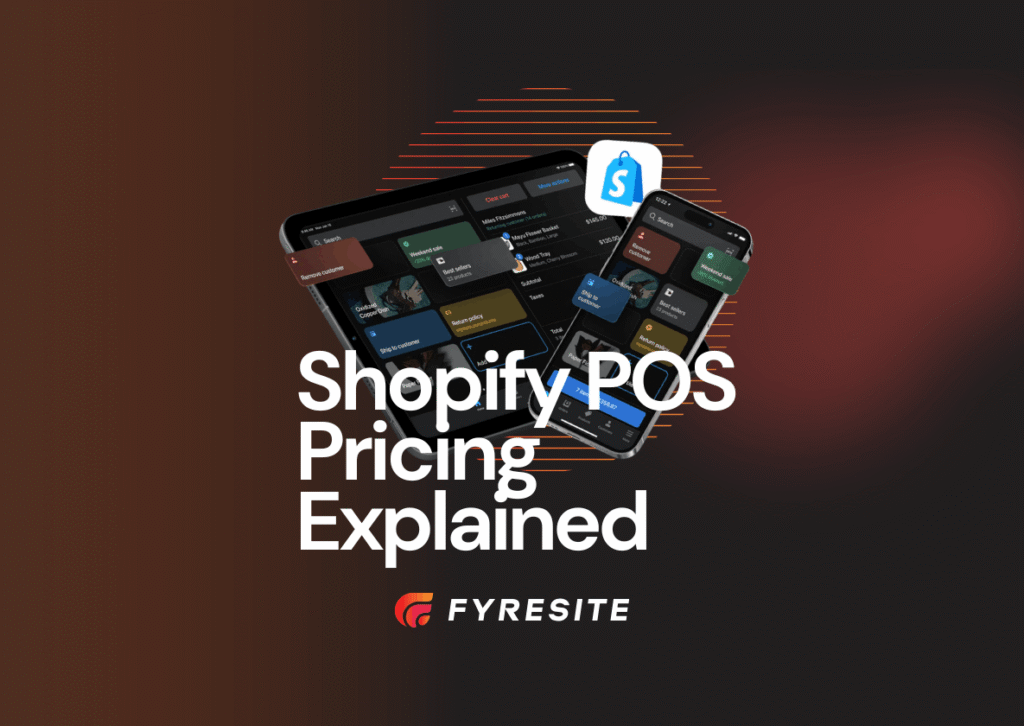
Shopify POS Pricing
Shopify POS has two tiers: POS Lite (included with all Shopify plans) and POS Pro ($89/month per location), which unlocks advanced retail features like staff permissions, detailed reporting, inventory management, and multi-location capabilities.
Shopify POS pricing depends on which Shopify plan you’re on and whether you need POS Pro.
| Plan | What’s Included |
| POS Lite | Included with every Shopify plan at no extra cost |
| POS Pro | $89/month per location (advanced retail features) |
| Shopify Plus POS | Shopify Plus includes advanced POS capabilities for enterprise merchant |
POS Lite covers the basics for straightforward retail. POS Pro is where it gets interesting for stores with real operational complexity: advanced staff roles, multi-location inventory management, detailed reporting, and full omnichannel features.
For most serious retailers, the question isn’t whether to get Pro. It’s whether you’ve set it up properly.
Shopify POS Pro vs. Lite
POS Lite covers basic in-store checkout and inventory sync, while POS Pro adds advanced staff roles, full multi-location management, automatic discounts, detailed reporting, and complete omnichannel features like BOPIS and ship-from-store.
| Feature | POS Lite | POS Pro |
| Inventory sync | Yes | Yes |
| Staff roles and permissions | Basic | Advanced (custom roles, pin-protected discounts) |
| Multi-location management | Limited | Full multi-location support |
| Reporting and analytics | Basic | Advanced reporting |
| Omnichannel features | Limited | Full (BOPIS, ship from store, etc.) |
| Smart Grid customization | Basic | Full customization, per-location layouts |
| Automatic discounts | No | Yes |
Lite works fine if you have one location and simple needs. Pro is built for stores that move real volume, manage staff across shifts, or operate more than one location.
Upgrade to Shopify POS Pro with Fyresite.
Shopify POS Hardware Requirements
Shopify POS requires an iPad or Android tablet as the main device, plus compatible peripherals including a card reader, barcode scanner, receipt printer, and cash drawer, all available through the Shopify hardware store.
Shopify POS runs on iPad or Android tablet. That’s your core device. Everything else plugs in around it.
| Hardware | Purpose | Notes |
| iPad or Android tablet | Main POS device | Shopify POS runs on both platforms; no proprietary tablet required |
| Card reader | In-person payment processing | Brand logo and colors can now be displayed on the payment terminal (V10) to build visual trust at checkout |
| Barcode scanner | Product lookup and inventory scanning | Essential for high-SKU environments like automotive; speeds up item lookup and inventory counts |
| Receipt printer | Printed receipts (or go digital) | Custom receipts support store logo, header, footer, and 1D or 2D barcode type |
| Cash drawer | Cash sale management | Connects to receipt printer; triggers automatically on cash transactions |
| RFID reader | Available for retailers using RFID tagging | Supported for verticals that have moved to RFID inventory management |
Shopify VP Ray Ready put it well. Shopify’s goal isn’t to win on hardware but on software. That means they support a wide range of hardware brands rather than locking you into proprietary gear. You get choice, and Shopify focuses on making the software fast and reliable.
You can also try Shopify POS right now without any hardware at all. Download the app on your phone, create an account, and test it out for free.
Shopify POS Setup Guide
To set up Shopify POS, download the Shopify POS app, configure Shopify Payments in your admin, import your products, connect your hardware, assign staff permissions, and customize your Smart Grid layout before going live.
Getting up and running isn’t complicated. Here’s the checklist:
| Step | Action | Detail |
| 1. Download the app | Search “Shopify POS” in the App Store or Google Play | V10 is the current release; existing users on V9 update like any standard app store update |
| 2. Choose your plan | Lite or Pro (you can upgrade later) | Try it free on your phone first; no hardware needed to create an account and test the interface |
| 3. Set up Shopify Payments | Go to Settings in your Shopify admin; confirm store currency, add bank account and payment methods | Shopify Payments is only available in certain countries; confirmation can take up to three days |
| 4. Add your products | Import inventory into Shopify; it syncs to POS automatically | Use CSV import for large catalogs; products and variants sync down to POS without manual duplication |
| 5. Configure locations | Add your store address(es) in admin | Each location gets its own inventory view; Pro users can assign unique Smart Grid layouts per location |
| 6. Connect hardware | Pair your card reader, scanner, and printer | Shopify supports multiple hardware brands; choose what fits your store type rather than being locked to one SKU |
| 7. Set up staff | Assign roles and 4-to-6-digit PINs; enable discount and Smart Grid permissions | V10 was designed to be learnable in a single shift; granular permissions mean staff can be productive from day one |
| 8. Customize your checkout | Set up Smart Grid layouts, custom receipts (logo, header, footer), and return rules | Smart Grid layouts can be customized and assigned by location in Shopify’s POS editor. |
| 9. Enable customer data collection | Turn on email collection under POS channel settings; also configurable under Settings > Checkout | Customer emails collected in-store feed directly into Shopify customer profiles for unified marketing |
| 10. Go live | Run a test transaction and train staff | Enterprises should stage the rollout using MDM software to avoid pushing updates during peak trading periods |
One of V10’s design goals was to make the POS learnable in a single shift. High staff turnover is a real cost in retail, and Shopify built the interface with that in mind. The contextual action bar, the simplified left pane, the one-tap common actions: these aren’t just nice-to-haves. They’re how you cut training time.
Get Shopify POS set up by Fyresite.
Shopify POS for Retail Store Use Cases
Shopify POS works for almost any retail setup, whether you’re selling clothes, electronics, or car parts. It’s a huge help for businesses with several stores because it keeps your inventory, product styles, and stock levels synced across every location automatically.
Automotive Parts Stores
Automotive retail has specific needs: fitment data, complex inventory with hundreds of SKUs, and customers who often know exactly what they need (and will leave if you can’t confirm you have it). Shopify POS handles high-SKU environments well, and with the right setup, your in-store team can confirm part availability across all locations in seconds.
Fyresite has worked with automotive retailers like Chassis Unlimited and Corbeau on exactly this kind of setup.
Apparel Retail Stores
Variants are everything in apparel: size, color, length, fit. Shopify POS handles variant management natively, and inventory syncs down to the variant level. Your online and in-store stock counts reflect reality, not yesterday’s manual update.
Electronics Retail
Electronics often require serial number tracking. With the right barcode scanner setup and Shopify’s inventory tools, you can track individual units rather than just counts.
Multi-Location Retailers
This is where POS Pro earns its fee. You can manage inventory across every location, assign location-specific Smart Grid layouts, and run consolidated reporting across your entire operation.
| Store Type | Key Benefit | Relevant POS Feature |
| Automotive | High-SKU fitment inventory management | Barcode scanner + real-time stock lookup across all locations |
| Apparel | Variant-level inventory sync (size, color, fit) | Variant management synced down to SKU level across online and in-store |
| Electronics | Serial number and unit tracking | Barcode scanning for individual unit identification at checkout |
| Multi-location | Unified inventory and consolidated reporting across stores | POS Pro multi-location dashboard + per-location Smart Grid layouts |
Running an automotive business? Here’s how Shopify works for that vertical specifically.
Hardware Bundle Recommendations
The right Shopify POS hardware bundle depends on your store type. A basic retail setup needs an iPad and card reader, while high-volume or automotive stores benefit from adding barcode scanners, receipt printers, and cash drawers.
| Bundle | Includes | Best For |
| Basic retail | iPad + card reader | Pop-up shops, single-location stores, or merchants testing POS for the first time |
| Full retail setup | iPad + barcode scanner + receipt printer + cash drawer | Established single-location stores with regular foot traffic and cash sales |
| Automotive store | iPad + heavy-duty barcode scanner (+ optional receipt printer) | High-SKU parts retailers where fast product lookup across hundreds of variants is essential |
| Multi-location | Multiple iPad terminals with consistent hardware across locations | Retailers running POS Pro who need uniform checkout experiences and MDM-managed device fleets |
Configure your Shopify POS hardware setup with Fyresite.
Shopify POS vs. Square
Shopify POS offers native ecommerce sync, full multi-location support, and deep Shopify integration that Square cannot match, making it the stronger choice for any retailer already running (or planning to run) a Shopify online store.
Square is a solid standalone POS. But if you’re already on Shopify (or planning to be), the comparison isn’t really close.
| Feature | Shopify POS | Square |
| Ecommerce sync | Native and real-time; same platform, no integration layer | Limited; requires third-party integration with inventory lag |
| Multi-location support | Full, built-in; manage all locations from one Shopify admin | Limited; location management is less unified |
| Shopify integration | It is Shopify; products, orders, and customers are the same records | Not applicable; Square is a separate platform from any ecommerce store you run |
| Developer extensibility | Thousands of developers build on Shopify POS; V10 opened new APIs for customization | Limited third-party development ecosystem for POS-specific workflows |
| Automotive and fitment workflows | Supported via high-SKU inventory tools and barcode scanning | Not supported; no native fitment or parts catalog functionality |
| Unified customer profiles | Yes; in-store purchases feed into Shopify customer records used for email and online targeting | Partial; Square customer data stays largely within the Square ecosystem |
| Checkout speed | V10 redesigned for speed; 5% improvement in cart-building time, learnable in one shift | No comparable published benchmark for staff checkout efficiency |
Square makes sense if you’re a POS-only business with no ecommerce. If you’re running both channels, splitting them across two platforms creates exactly the inventory and customer data problems Shopify POS was built to eliminate.
See also: Shopify POS vs. Lightspeed: The Complete 2026 Comparison
How to Migrate from a Cash Register to Shopify POS
Migrating from a cash register to Shopify POS involves importing your product inventory into Shopify, connecting your hardware, configuring staff roles, syncing your store locations, and running test transactions before going live.
Upgrading from a traditional cash register (or a legacy POS) is more straightforward than most retailers expect.
| Step | Action | Why It Matters |
| 1. Import inventory | Bring your product catalog into Shopify via CSV or manual entry | This is the biggest lift; once products are in Shopify, they sync to POS automatically with no duplication |
| 2. Set up hardware | Connect card reader, scanner, and printer | Shopify supports multiple hardware brands; you’re not locked into proprietary gear |
| 3. Configure staff | Set up roles and 4-to-6-digit PINs | Granular permissions protect discounts and reporting access from day one |
| 4. Sync locations | Add each store location in Shopify admin | Each location gets its own inventory view; Pro users can customize Smart Grid layouts per store |
| 5. Test and go live | Run test transactions; train staff before launch day | V10 is designed to be learnable in one shift; enterprises should stage rollouts via MDM to avoid going live during peak periods |
The biggest lift is usually the initial product import. After that, POS manages itself.
Migrate to Shopify POS with Fyresite.
Conclusion: Shopify POS for Omnichannel Retail
Shopify POS connects your in-store and online retail into one system. Real-time inventory sync, multi-location management, unified customer profiles, and a checkout experience built for actual retail staff (not just a product demo) are all part of the package.
For stores running both channels, the question isn’t really whether to use Shopify POS. It’s whether you’ve got it configured to do everything it can. That’s where setup and implementation make the difference.
Fyresite helps retail brands, automotive stores, and multi-location merchants implement Shopify POS the right way: configured for your inventory, your staff, and your actual sales floor. If you’re ready to connect your in-store and online operations, we’re the team to call. Talk to Fyresite about Shopify POS implementation.
FAQ
What is Shopify POS?
Shopify POS is a point-of-sale system built into Shopify that connects in-store checkout with your ecommerce store. It syncs inventory in real time, tracks customer data across channels, and supports multi-location retail.
What does Shopify POS cost?
Shopify POS has two tiers. POS Lite, which is included with all Shopify plans, and POS Pro, which costs $89 per month per location. POS Pro unlocks advanced retail features such as staff permissions, detailed reporting, inventory management, and enhanced multi-location capabilities.
What hardware does Shopify POS require?
An iPad or Android tablet and a card reader are required at minimum. For full retail setups, add a barcode scanner, receipt printer, and cash drawer. RFID readers are also supported for appropriate retail environments.
How does Shopify POS inventory sync work?
Every sale, online or in-store, updates your inventory count in real time. Multi-location stores can see stock levels across all locations from one dashboard. BOPIS (buy online, pick up in-store) is also supported.
What’s the difference between POS Lite and POS Pro?
Lite covers basic checkout, inventory sync, and simple staff management. Pro adds advanced roles, full multi-location management, detailed reporting, automatic discounts, and complete omnichannel features.
How do I set up Shopify POS?
Download the Shopify POS app, configure Shopify Payments, import your products, connect your hardware, and set up staff permissions.